WhatsApp is one of the most popular messaging apps in the world. People use it every day to send messages, photos, and videos. Now, many businesses also use WhatsApp to talk to their customers. In business communication, two important tools are the WhatsApp Business App vs WhatsApp Business API. These tools help businesses answer customer questions and share updates in a fast way.
Next, WhatsApp is no longer only for chatting with friends and family. It has become a strong platform for business communication. Small shops, big companies, and online stores use WhatsApp to give support and build trust with customers. Because of this, many people want to know which WhatsApp option is best for their business.
However, not all WhatsApp platforms are the same. There are different types of WhatsApp accounts made for different needs. In this blog, we will learn about these types and then compare WhatsApp Business App and WhatsApp Business API in a simple way.
Types of WhatsApp Platforms
First, WhatsApp offers different platforms for different users. Each platform has its own purpose. These platforms help people and businesses communicate in the right way. Now, let us understand the three main types of WhatsApp platforms.
WhatsApp Messenger
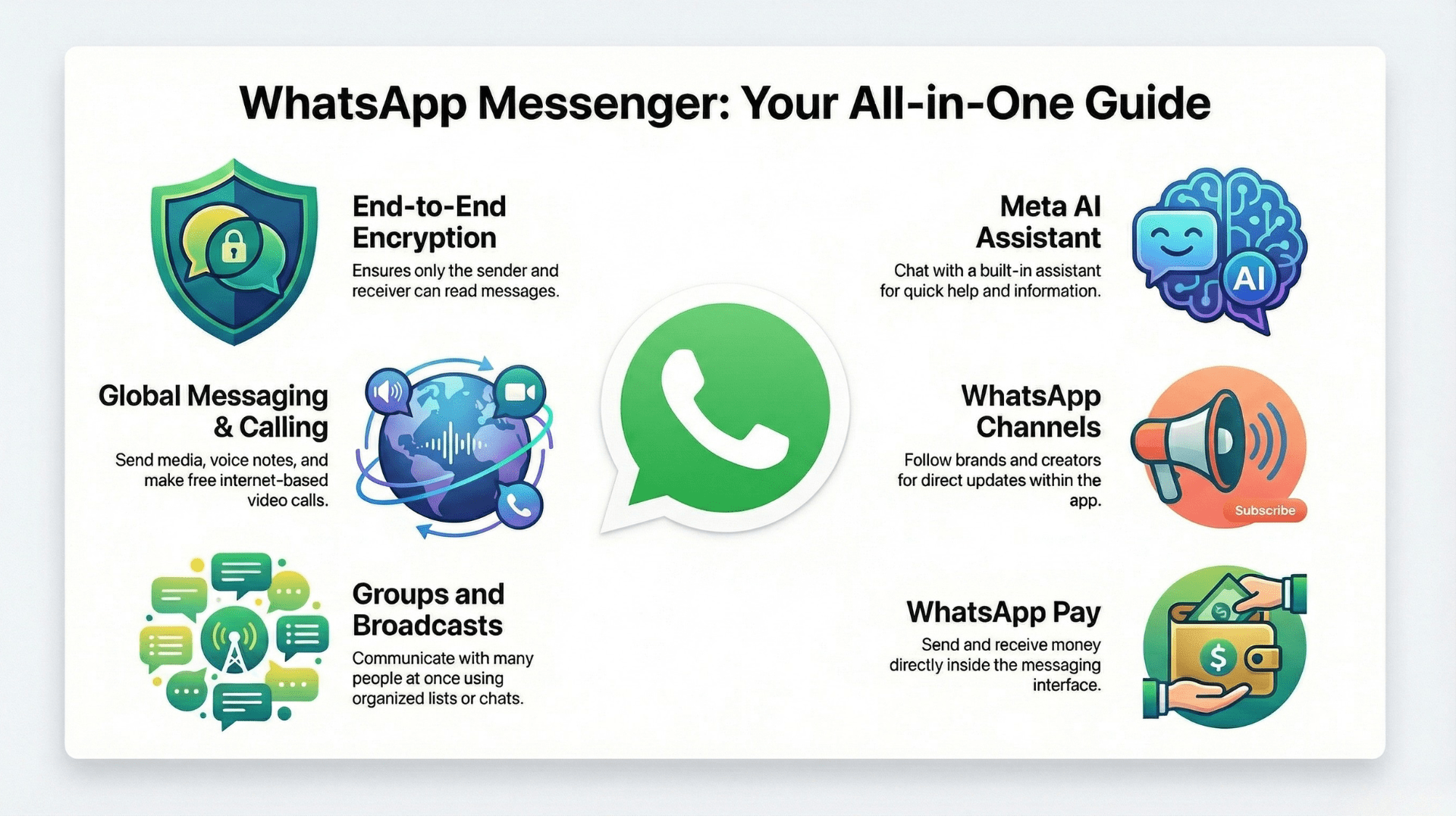
WhatsApp Messenger is the free mobile app that most people use every day. It is mainly made for talking with friends, family, and colleagues. It keeps messages safe using end-to-end encryption, so only the sender and receiver can read them.
In recent years, WhatsApp has added new features like Channels, WhatsApp Pay in some countries, and a built-in AI assistant. These updates make the app more useful for daily communication. However, even with many benefits, WhatsApp Messenger also has some limits.
Main Features
Text and Media Messaging:
Users can send text messages, photos, videos, voice notes, and documents easily.
Voice and Video Calls:
Allows free voice and video calls over the internet.
Groups and Broadcasts:
Users can chat with many people at once using group chats and broadcast lists.
WhatsApp Channels:
Helps users follow updates from brands and creators.
AI Assistant:
The latest update lets users chat with Meta’s AI for help and information.
WhatsApp Pay (in some countries):
Users can send and receive money inside the app.
WhatsApp Business App
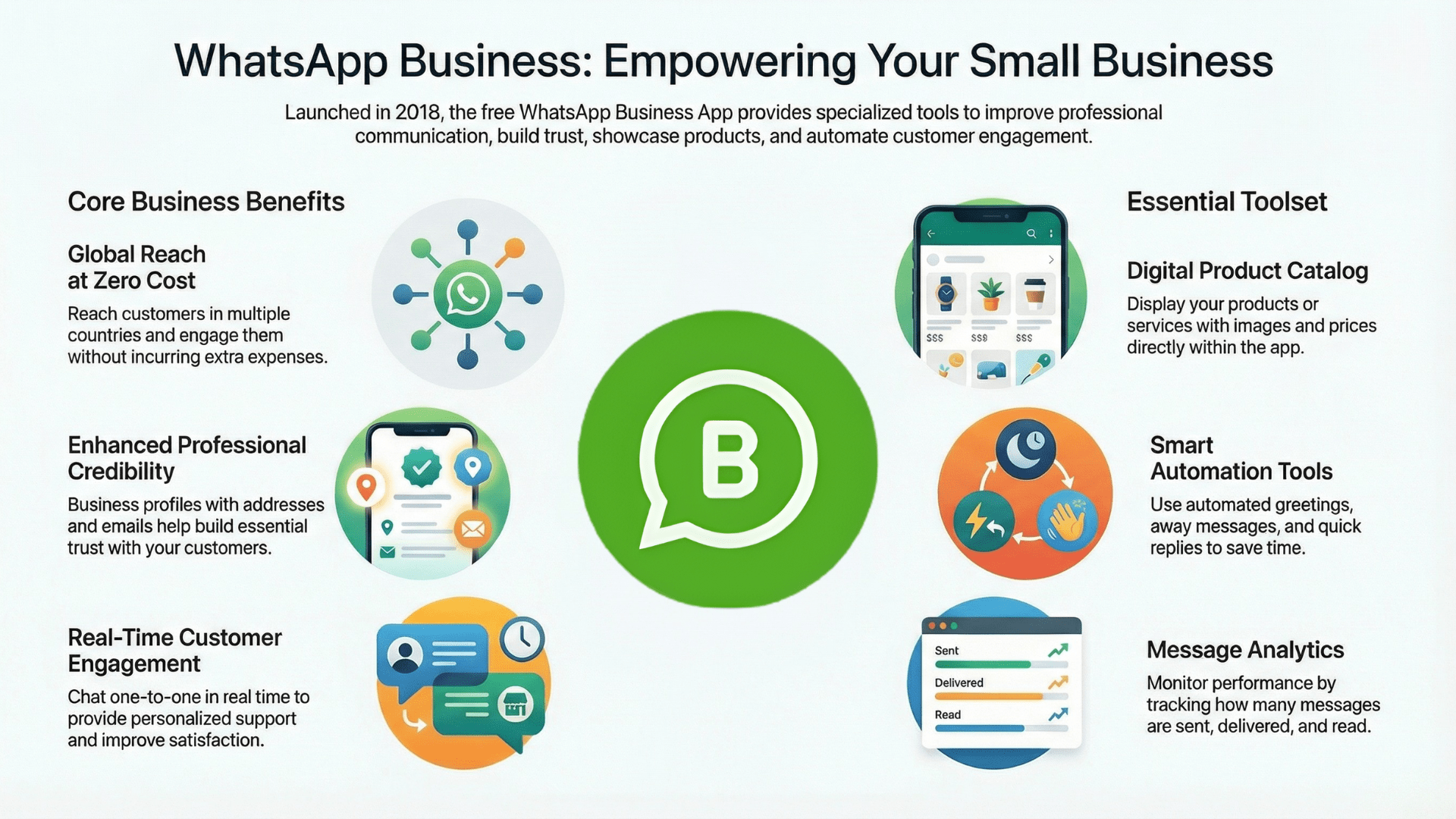
It was launched in 2018 to help small and medium-sized businesses talk to their customers in a better way. It gives extra tools that are not available in normal WhatsApp Messenger. These tools help businesses share their details, reply faster, and show their products to customers. Best of all, it is free to use.
Also, WhatsApp Business App was created to help businesses use the large number of WhatsApp users around the world. It helps improve customer engagement, build trust, and reach people in many countries without extra cost.
Main Features
Business Profile:
Businesses can create a profile with name, address, email, and working hours. This helps customers trust the business more.
Product Catalog:
Businesses can show their products or services inside the app with images and prices.
Automated Messages:
Greeting messages and away messages can be set to reply to customers automatically.
Quick Replies:
Saves time by using ready-made replies for common customer questions.
Basic Analytics:
Shows how many messages are sent, delivered, and read.
Direct Customer Chat:
Businesses can chat with customers one-to-one in real time.
WhatsApp Business API
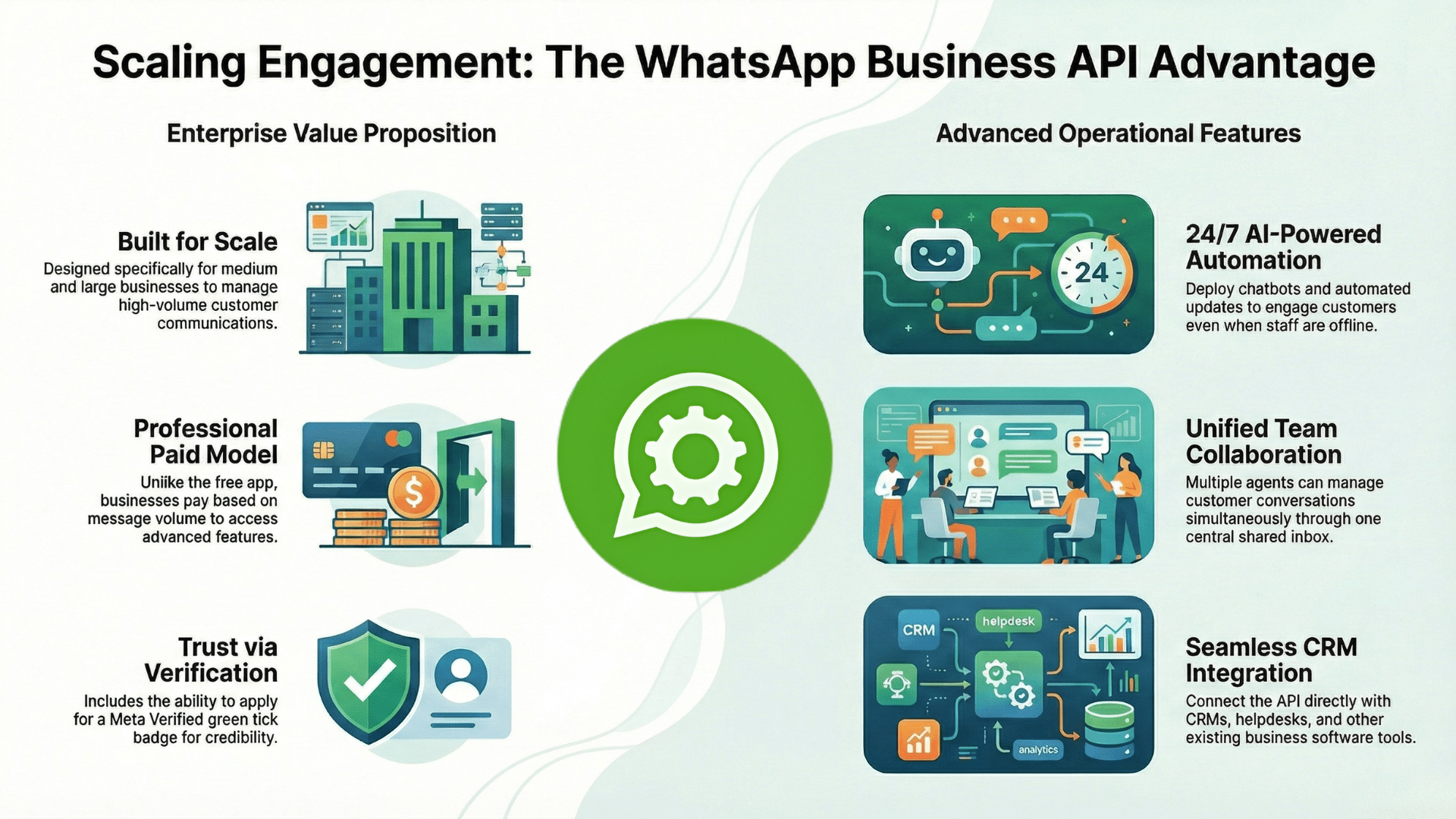
WhatsApp Business API was launched in 2018 to help medium and large businesses talk to many customers at the same time. Unlike the WhatsApp Business App, this platform is not free. Businesses pay based on the number of messages they send and receive.
Also, WhatsApp Business API offers advanced features that are not available in the normal business app. These include automation, chatbots, detailed reports, and system integration. Because of this, many companies use WhatsApp Business API to improve customer service and increase customer engagement.
👉 Get started with WhatsApp API today.
Main Features
Automated Messaging:
Businesses can send automatic messages like order updates, reminders, and alerts.
Bulk Messaging (with user consent):
Messages can be sent to many customers at once if they have opted in.
AI-powered Chatbots:
Chatbots can reply to customers anytime, even when staff are offline.
Multi-agent Access:
Many team members can handle customer chats at the same time.
Central Inbox:
All customer messages are managed in one shared inbox.
Analytics and Reports:
Businesses can track message delivery, response time, and customer activity.
CRM and Software Integration:
Can connect with CRM, helpdesk, and other business tools.
Meta Verified Business Account:
Businesses can apply for the green tick badge to build trust with customers.
Comparison Table: WhatsApp Messenger vs WhatsApp Business App vs WhatsApp Business API
Scroll right to see full table →
| Feature / Aspect | WhatsApp Messenger | WhatsApp Business App | WhatsApp Business API |
|---|---|---|---|
| Purpose | Personal communication | Small business communication | Medium & large business communication |
| Target Users | Individuals | Small businesses & startups | Enterprises & growing businesses |
| Business Profile | No | Yes | Yes – Verified |
| Automation | No Automation | Limited | Full Automation |
| Number of Users | Single user only | Single device (limited multi-device) | Multiple agents supported |
| Messaging Volume | Low | Medium | High – bulk & campaigns |
| CRM & Tool Integration | Not Supported | Not Supported | Supported |
| Campaign Messaging | No | No | Yes |
| Customization | None | Basic | Fully Customizable |
| Verification (Meta) | No | Profile Only | Meta Verified (Green Tick) |
| Security & Compliance | Basic encryption | Business-level security | Enterprise-grade security |
| Cost | Free | Free | Paid (conversation-based) |
| Setup Process | Simple app install | Download app & register number | Requires BSP (Business Solution Provider) |
| Best For | Friends & family | Local shops & freelancers | Enterprises, eCommerce, support teams |
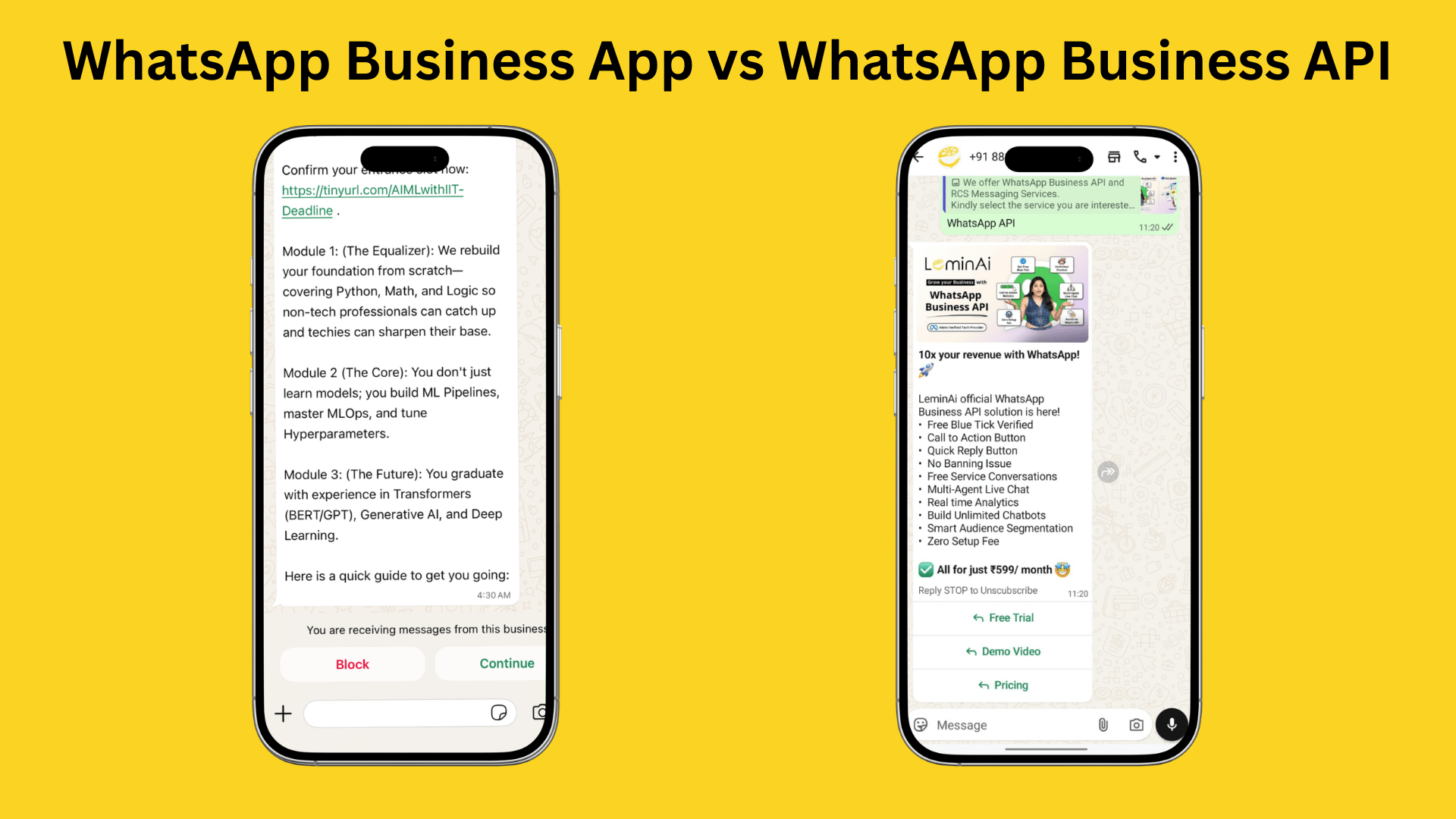
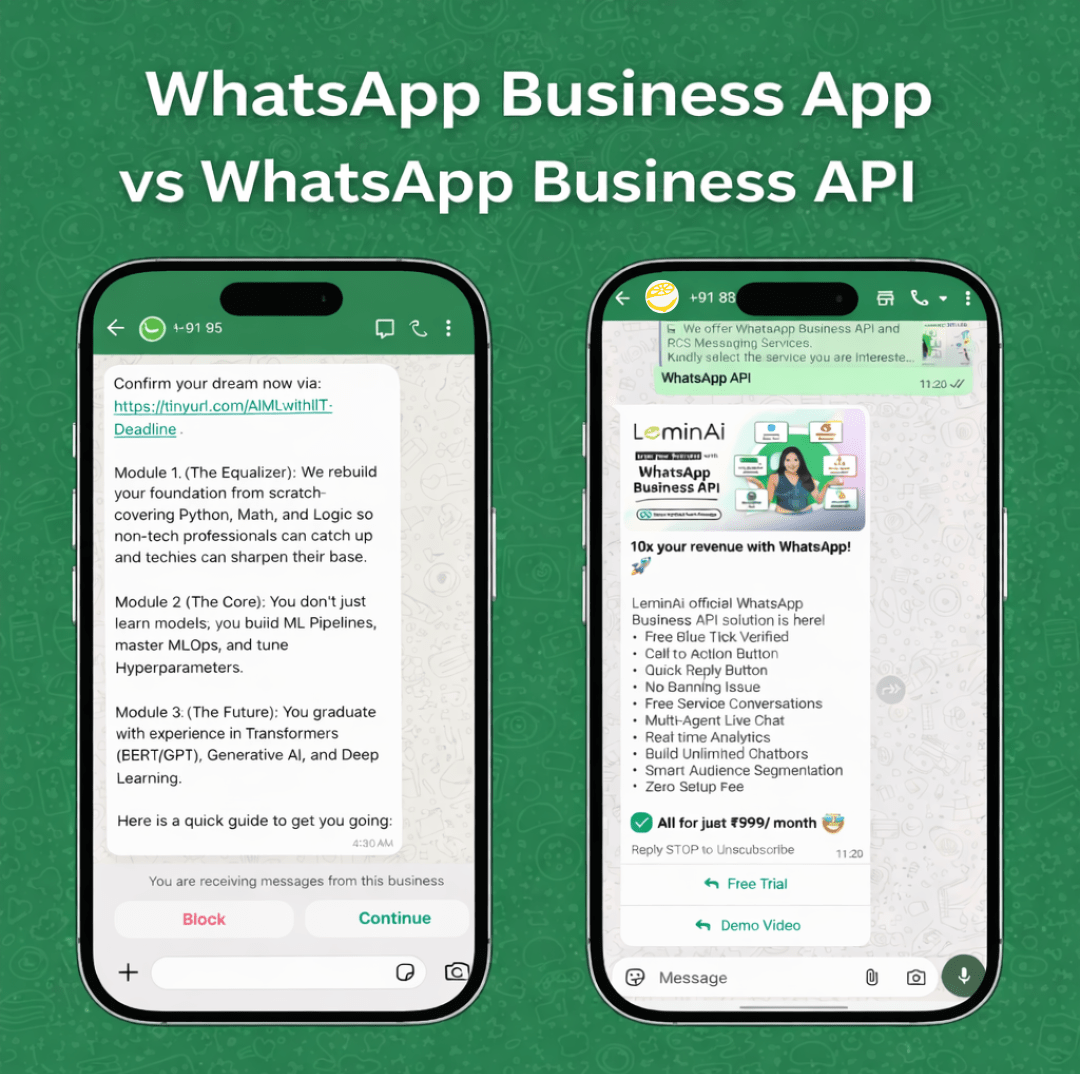
WhatsApp Business App vs WhatsApp Business API - LeminAi
Simple, No-Code Setup
WhatsApp Business App is easy to install on a single phone, but it is limited for business use and teamwork. On the other hand, WhatsApp Business API with LeminAi does not require any coding. LeminAi provides a guided setup and user-friendly dashboard, making it simple for businesses to go live quickly.
Fast Onboarding Process
With WhatsApp Business App, users can download the app and start using it instantly. However, WhatsApp Business API through LeminAi offers quick activation with full support for business verification and message template approvals. This makes the onboarding process smooth and stress-free for businesses.
Clear and Affordable Pricing
WhatsApp Business App is free to use but comes with limited features. In contrast, WhatsApp Business API with LeminAi follows a paid model with low markup, making it cost-effective for both marketing and customer support. Businesses get more value with professional tools at an affordable price.
Full Feature Set for SMBs and Large Businesses
The Business App provides only basic business tools. On the other hand, WhatsApp Business API with LeminAi offers a complete feature set specially designed for small, medium and large businesses. This includes automation, campaigns, analytics, and integrations in one platform.
Multi-Agent Live Chat
WhatsApp Business App supports only up to 5 linked devices, which limits team collaboration. In comparison, WhatsApp Business API with LeminAi allows unlimited agents to reply from one shared inbox. This improves response time and teamwork across departments.
Real-Time Analytics
The Business App provides very basic insights such as sent and read messages. However, WhatsApp Business API with LeminAi offers advanced analytics, including delivery reports, open rates, and click tracking. This helps businesses measure performance and improve communication strategies.
Message Scheduling and Quick Replies
WhatsApp Business App supports only limited quick replies and does not allow message scheduling. On the other hand, WhatsApp Business API with LeminAi supports full message scheduling, interactive CTA buttons, and message variables. This makes customer communication faster and more organized.
Unlimited Chatbots and Agents
The Business App does not support chatbots or multiple automated agents. In contrast, WhatsApp Business API with LeminAi includes unlimited chatbots and agents in paid plans. This allows businesses to scale customer service without extra platform costs.
Transparent Cost Advantage
While WhatsApp Business App is free, it is not scalable for growing businesses. On the other hand, WhatsApp Business API with LeminAi offers lower message costs (for example, ₹0.90 per message including markup), which is more affordable than many other providers. This makes it a smart long-term investment for business growth.
Who Can Choose WhatsApp Business API?
WhatsApp Business API is made for medium and large businesses that want to talk to many customers at the same time using automation and smart tools.
Here are the types of businesses that should choose WhatsApp Business API:
Growing businesses:
First, companies that receive hundreds or thousands of customer messages every day need WhatsApp Business API to manage chats easily.
Customer support teams:
Next, businesses with support agents can reply from one shared inbox instead of using one phone.
E-commerce and service brands:
Online stores, travel companies, banks, and hospitals can send order updates, reminders, and alerts using automated messages.
Businesses that need automation:
If you want chatbots, auto-replies, and scheduled messages, then WhatsApp Business API is the right choice.
Companies that need integrations:
Moreover, businesses that want to connect WhatsApp with CRM, payment systems, or marketing tools should use the API.
Brands that want trust and scale:
WhatsApp Business API also helps businesses look more professional with a verified business profile and structured message templates.
In short, WhatsApp Business API is best for businesses that want to grow faster, save time, and talk to customers in a smart and automated way.
Role of Business Solution Providers (BSPs)
Business Solution Providers (BSPs) help companies use WhatsApp Business API easily and safely. Since WhatsApp Business API cannot be used directly, businesses must work with a BSP.
Here is how BSPs help businesses:
Easy setup:
First, BSPs help register your business and activate your WhatsApp Business API account.
Message approval:
Next, they help create and submit message templates for approval so you can send notifications and updates.
Technical support:
BSPs provide dashboards and tools so businesses can send messages, view chats, and track reports without coding.
Security and compliance:
Also, BSPs make sure all messaging follows WhatsApp rules and data protection guidelines.
Extra features:
Many BSPs offer chatbots, analytics, team inbox, and integrations with other software.
Ongoing help:
Finally, BSPs provide customer support and maintenance to keep your messaging system running smoothly.
To sum up, Business Solution Providers act as a bridge between WhatsApp and businesses, making WhatsApp Business API simple, safe, and powerful to use.
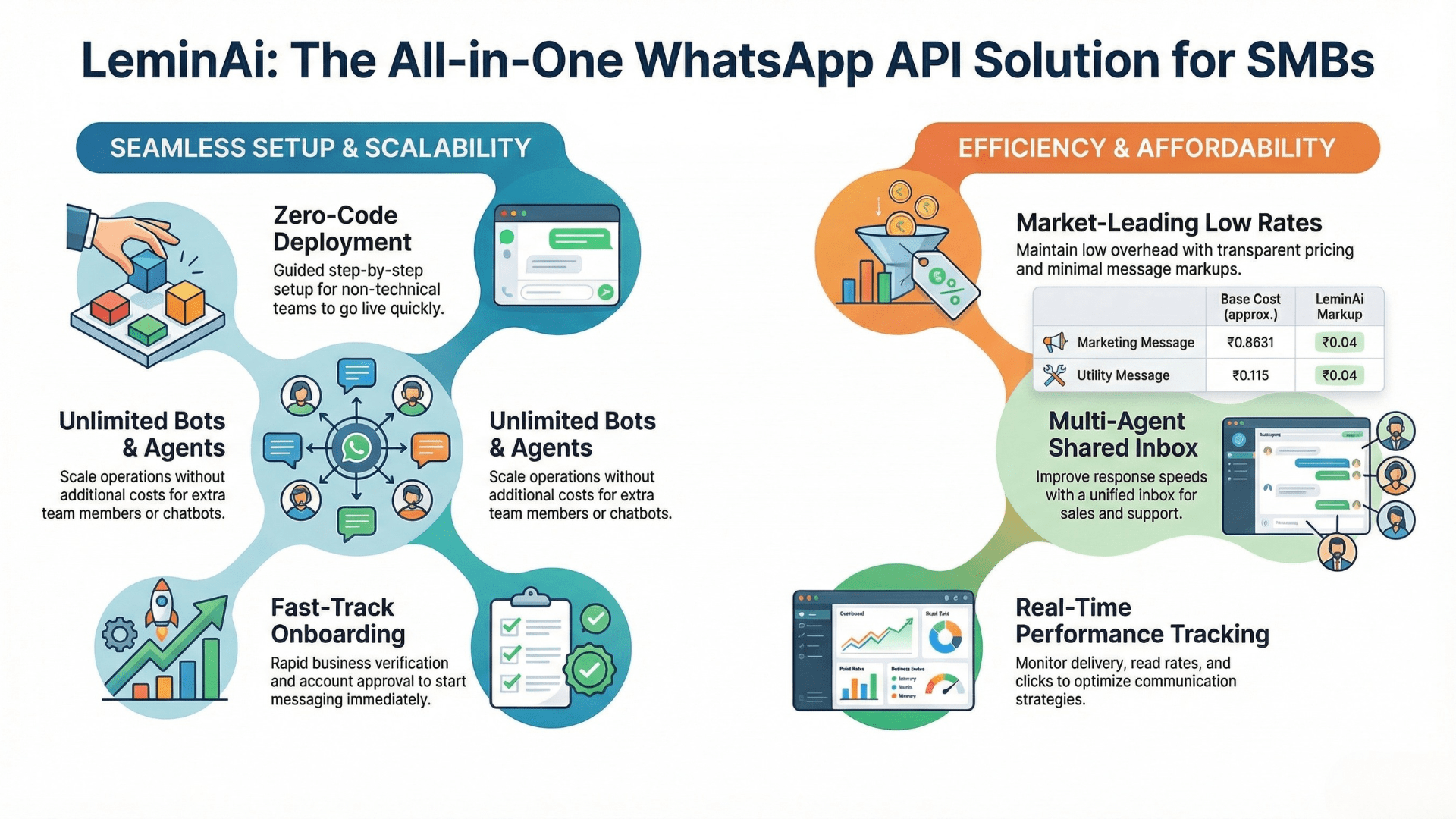
Benefits of Choosing LeminAi for WhatsApp Business API
LeminAi offers a powerful yet easy-to-use WhatsApp Business API solution designed especially for small and medium businesses. It combines affordability, automation, and smart tools in one platform.
Why Choose LeminAi for WhatsApp Business API?
LeminAi provides a complete WhatsApp Business API solution that helps businesses communicate faster, smarter, and at lower cost. It is built especially for small and medium businesses that want powerful features without technical complexity.
1. Simple, No-Code Setup
LeminAi allows businesses to start using WhatsApp Business API without any coding or developer support. The setup process is user-friendly and guided step by step. This means even non-technical teams can go live quickly and begin sending messages to customers.
2. Fast Onboarding Process
With LeminAi, the onboarding process is quick and smooth. Their team helps you with business verification, WhatsApp account approval, and template setup. As a result, you do not have to wait for weeks to start your messaging campaigns.
3. Clear and Affordable Pricing
LeminAi offers transparent and low-cost pricing with minimal message markup. This makes it affordable for both marketing campaigns and customer support communication. Businesses can control their spending while still reaching more customers.
4. Full Feature Set for SMBs
The platform is designed specially for small and medium businesses and includes all essential tools in one dashboard. From customer chats to campaigns and reports, everything can be managed from a single place without using multiple software systems.
5. Multi-Agent Live Chat
LeminAi provides a shared inbox where multiple team members can reply to customers at the same time. Each agent can handle chats independently, which improves response speed and teamwork. This is very useful for customer support and sales teams.
6. Real-Time Analytics
Businesses can track message delivery, read rates, and click performance in real time. These insights help companies understand customer behavior and improve their communication strategy. It also helps measure the success of campaigns easily.
7. Message Scheduling & Quick Replies
With LeminAi, businesses can schedule messages in advance for a specific date and time. Quick replies, CTA buttons, and message variables help send fast and personalized responses. This saves time and improves customer experience.
8. Unlimited Chatbots & Agents
Unlike many providers that charge extra for each chatbot or team member, LeminAi supports unlimited chatbots and agents in paid plans. This allows businesses to scale their operations without worrying about rising platform costs.
9. Transparent Cost Advantage
LeminAi offers one of the lowest marketing message costs in the market. Like, ₹0.8631 per marketing message & ₹0.115 per utility message. Above that LeminAi charges ₹0.04 as Markup per template message. This makes it more affordable than many competitors while still providing enterprise-level features. Businesses can run large campaigns at a lower budget.
How to start WhatsApp API with LeminAi
Setting up WhatsApp Business API includes:
- Creating a Business Portfolio on Facebook
- Creating an App on Facebook Developers
- Verifying your Business Portfolio
- Connecting your WhatsApp number with chat.LeminAi.com
- Adding payment details at Meta
With LeminAi, this whole process becomes faster and easier without technical skills.
👉 To know the process in detail
WhatsApp Business App vs API – Quick Summary
To sum up, both WhatsApp Business App and WhatsApp Business API help businesses talk to customers. However, they are made for different business sizes and goals.
Quick bullet summary:
- WhatsApp Business App is best for small businesses with low message volume.
- WhatsApp Business API is designed for growing and large businesses.
- The Business App is free and easy to use on one phone.
- The API is paid and supports automation, chatbots, and integrations.
- The Business App is good for personal customer chats.
- The API is perfect for bulk messages, campaigns, and customer support teams.
Which one should you choose?
- If you are a small shop or startup, choose WhatsApp Business App for simple communication.
- If you are a medium or large business, choose WhatsApp Business API for automation and scalability.
- If your goal is manual replies, the Business App is enough.
- If your goal is growth, campaigns, and smart messaging, the API is the right choice.
In short, your business size and communication goals decide the best option for you.
Conclusion
To conclude, WhatsApp offers two strong business tools: WhatsApp Business App and WhatsApp Business API. Both platforms help businesses connect with customers, but they serve different needs.
The Business App is perfect for small businesses that want simple and free communication. On the other hand, WhatsApp Business API is ideal for companies that need automation, campaigns, and customer support at scale.
Therefore, businesses should choose the platform based on their size, goals, and message volume.
If your business is ready to grow and wants a smarter messaging solution, LeminAi WhatsApp Business API solution can help you get started with easy setup, automation tools, and full support. Start your journey today and communicate with your customers in a faster and more professional way.
Is WhatsApp Business API free?
No, WhatsApp Business API works on a paid model. The cost depends on the number of messages sent and the type of conversation (marketing, utility, or service).
Do I need business verification to use WhatsApp Business API?
Yes, business verification is required. Meta verifies your business details before activating WhatsApp Business API to ensure trust and security.
Do I need technical skills or developers to set up WhatsApp Business API?
Yes, business verification is required. Meta verifies your business details before activating WhatsApp Business API to ensure trust and security.
Can small businesses use WhatsApp Business API?
Yes, small businesses can use WhatsApp Business API if they want automation, analytics, and team access. However, many small businesses start with the WhatsApp Business App and upgrade later.
Is the blue tick (Meta verification) mandatory?
No, the blue tick is not mandatory. However, it helps build customer trust and makes your business look more professional.