RCS vs SMS: Is RCS Really Better Than SMS in 2026? Messaging has evolved from simple text exchanges to rich, interactive conversations that feel almost like apps inside a chat window. For decades, SMS (Short Message Service) has been the foundation of mobile communication, allowing people to send short updates, alerts, and one-time passwords across any phone and network. However, SMS comes with a major limitation: messages are restricted to 160 characters, offer only plain text, and provide no confirmation of delivery or reading.
As digital communication expectations grow, these limits become more noticeable. Users now expect longer messages, images, videos, and interactive features within their conversations.
This is where RCS (Rich Communication Services) emerges as the next generation of messaging. Unlike SMS, RCS has no character limit and supports rich media, read receipts, typing indicators, and branded business messaging—all within the default messaging app.
In this guide, you will learn the RCS vs SMS, how each works, their strengths and weaknesses, and which option is better for personal communication and business messaging in 2026.
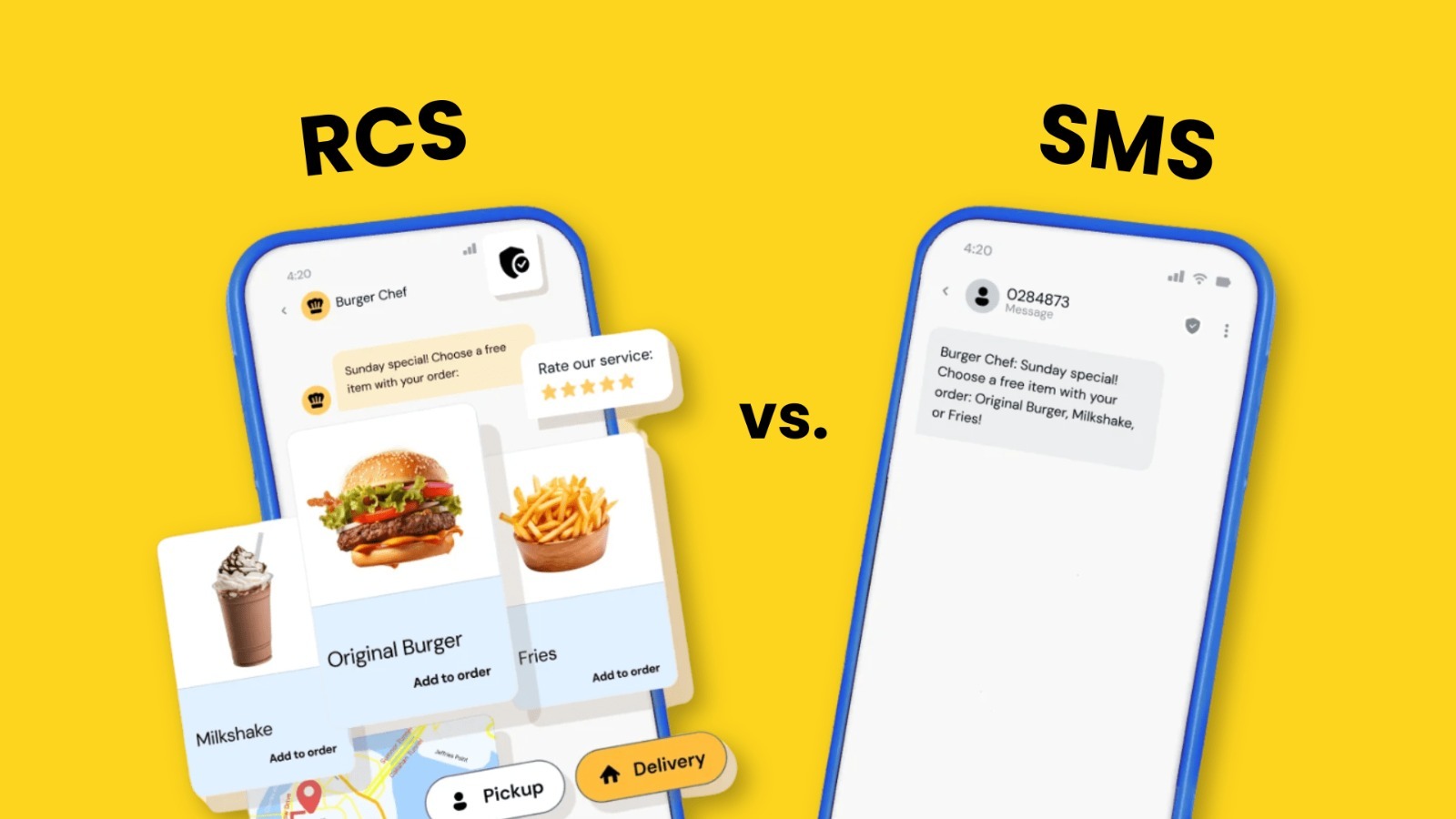
WHAT IS SMS? THE STANDARD OF TEXTING
SMS (Short Message Service) is the oldest and most widely used form of mobile text messaging. It allows users to send and receive short text messages between mobile devices using cellular networks. Introduced in the early 1990s, SMS was designed for simple communication and still plays a major role in alerts, notifications, and verification messages today.
Why SMS Still Matters Today
Even in the era of social apps and instant messaging platforms, texting remains the most used mobile activity worldwide. Studies show that users spend nearly 85–90% of their mobile messaging time on standard text messages, compared to around 60–65% on social media messaging and less than 40% on email communication. This unmatched reach is why businesses continue to rely heavily on SMS. With delivery rates above 95%, SMS ensures critical messages such as OTPs, transaction alerts, appointment reminders, and service updates reach customers instantly—without requiring internet access or app installation.
How SMS Works
SMS works through mobile carrier networks rather than the internet. When a message is sent, it travels from the sender’s phone to the carrier’s Short Message Service Center (SMSC). The SMSC stores the message and forwards it to the recipient’s carrier network, which then delivers it to the receiver’s phone. This process works even on basic phones and in low-signal areas, making SMS extremely reliable.
Key Features of SMS
Some of the main features of SMS include:
- Text-only messages
- Maximum length of 160 characters per message
- Works without an internet connection
- Supported by all mobile phones and carriers worldwide
- Low cost and fast delivery
- Ideal for OTPs, alerts, and short notifications
When a message exceeds 160 characters, it is split into multiple parts and delivered as separate SMS messages, which can increase costs and affect readability.
Limitations of SMS in 2026
Although SMS remains reliable, its limitations are more visible in today’s digital environment:
- No support for images, videos, or rich media
- No read receipts or typing indicators
- Limited personalization and branding for businesses
- Messages feel outdated compared to modern chat apps
- Vulnerable to phishing and spoofing attacks
- Poor user engagement for marketing campaigns
As customer expectations rise, SMS struggles to deliver interactive and engaging experiences, especially for businesses that want to provide visual content and call-to-action buttons.
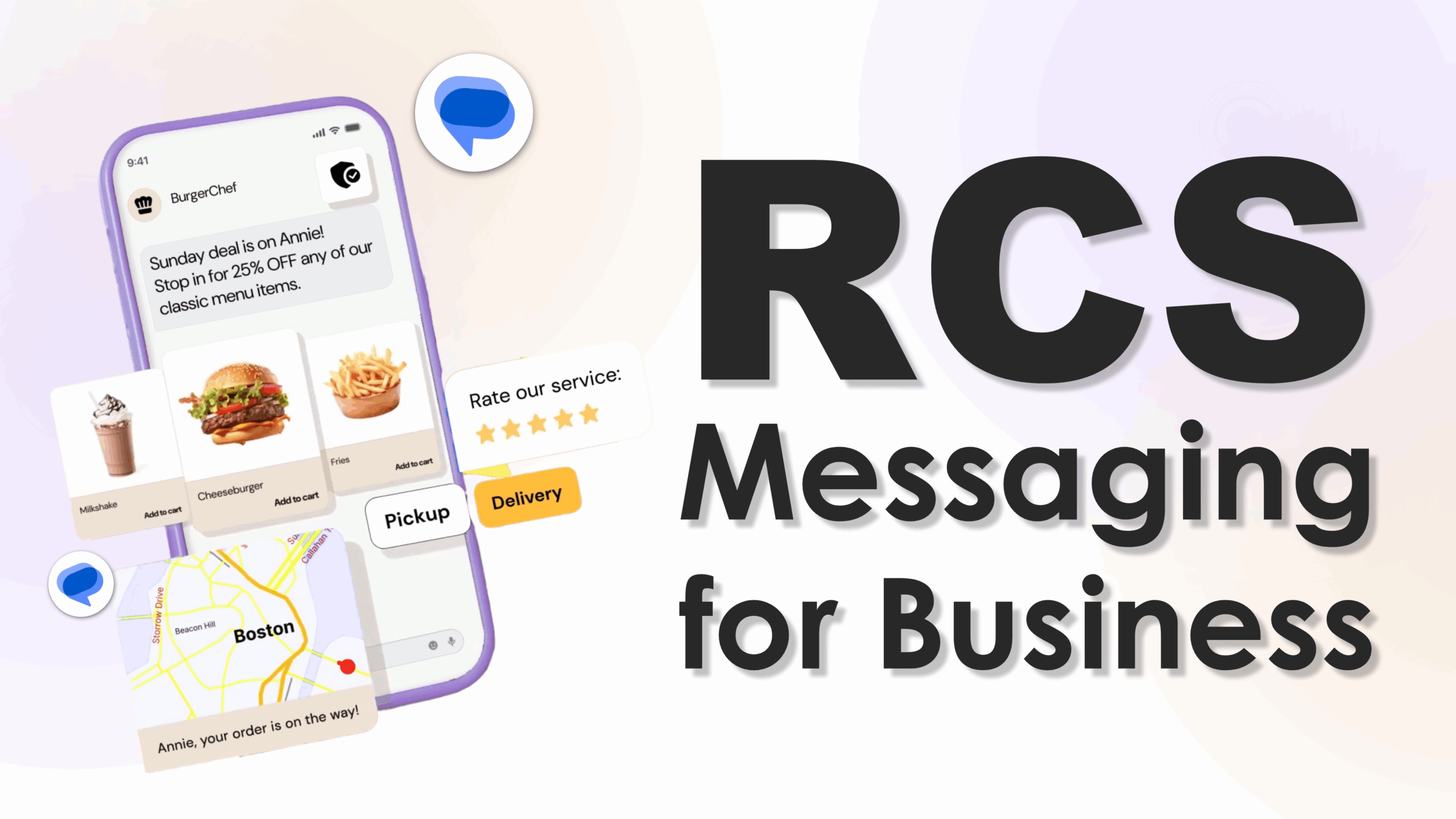
WHAT IS RCS MESSAGING?
RCS stands for Rich Communication Services. It is a modern messaging protocol designed to transform traditional SMS into a rich, app-like chat experience. RCS brings the power of popular messaging apps such as WhatsApp and iMessage directly into the phone’s native messaging inbox—without requiring users to download any additional apps.
Unlike SMS, which is limited to 160 characters and plain text, RCS allows unlimited message length and supports high-quality images, videos, carousels, and interactive action buttons. This enables businesses to create engaging, branded conversations while customers enjoy a more dynamic and visual messaging experience in the app they already use every day.
👉To know more about RCS Click Here
What is RCS Chat?
RCS Chat refers to conversations that use RCS features whenever both the sender and receiver have compatible devices and network support. Messages are automatically upgraded from SMS to RCS when possible, so users experience richer communication without changing their messaging habits.
Key features of RCS Chat include:
- Read receipts and typing indicators
- High-resolution image and video sharing
- Interactive buttons and suggested replies
- Group chats with enhanced controls
- Verified sender identities for businesses
These features make conversations more interactive, transparent, and trustworthy.
How RCS Works
RCS works over mobile data or Wi-Fi instead of traditional carrier SMS networks. When a message is sent, the system checks whether the recipient’s device and carrier support RCS. If supported, the message is delivered as RCS. If not, it automatically falls back to SMS or MMS.
This falback mechanism ensures message delivery in every situation, allowing businesses to maintain continuous communication with customers even when RCS is not available.
RCS as the New Messaging Standard
RCS is positioned as the next evolution of SMS and the future of native mobile messaging. It bridges the gap between basic text messages and modern chat applications by combining universal reach with rich communication features.
For businesses, RCS offers the ability to send branded messages with logos, colors, and call-to-action buttons, turning ordinary text conversations into interactive customer experiences.
Platform & Carrier Support
RCS is currently supported across:
- Android smartphones using Google Messages
- Major telecom carriers in many countries
- Business messaging platforms offering verified and branded messaging
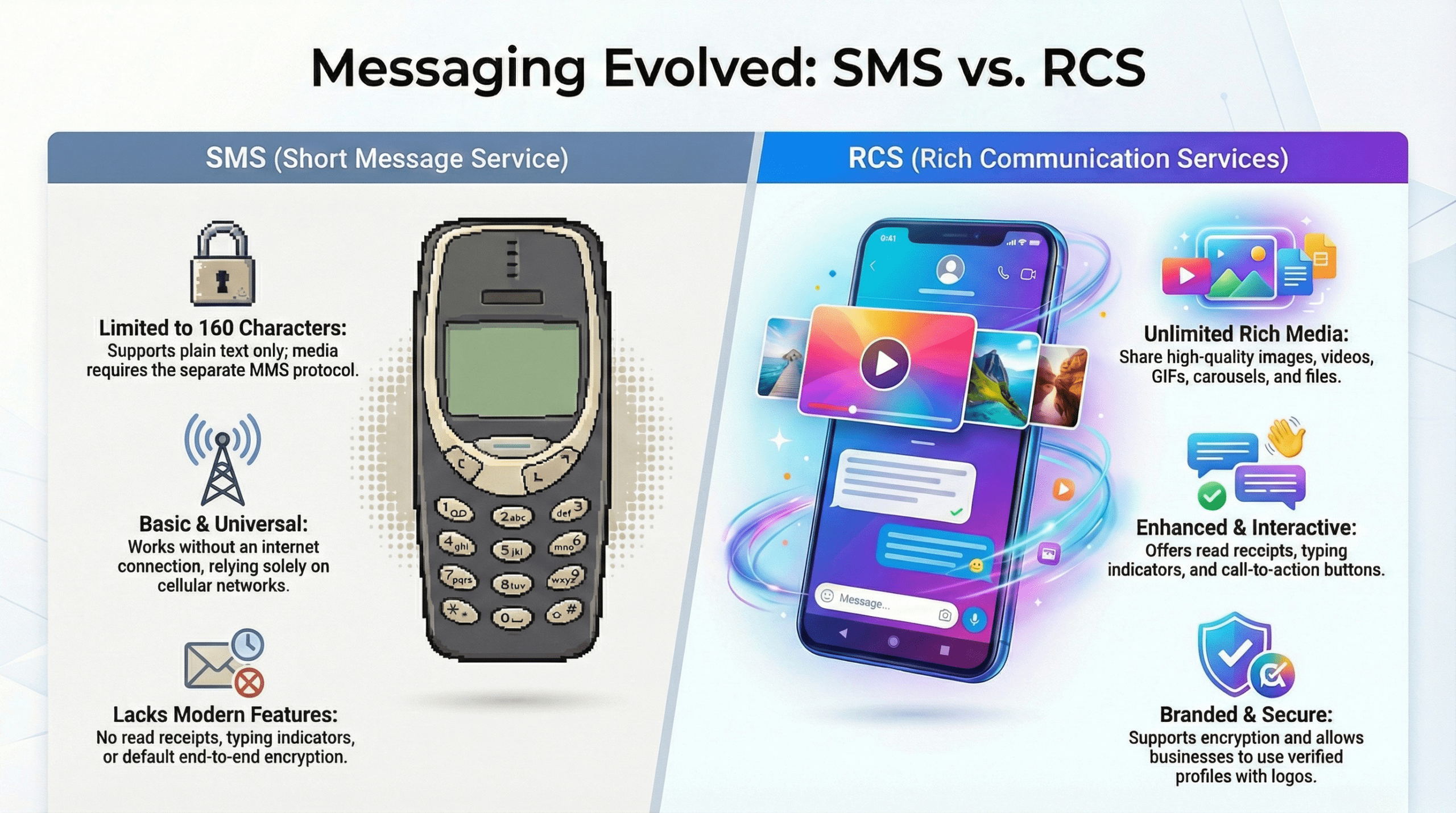
RCS VS SMS – KEY DIFFERENCES EXPLAINED
| Feature | SMS (Short Message Service) | RCS (Rich Communication Services) |
|---|---|---|
| Message Length | Limited to 160 characters per message | No character limit |
| Media Support | Text only (MMS required for images/videos) | Images, videos, GIFs, carousels, and files |
| Internet Requirement | Works without internet | Requires mobile data or Wi-Fi |
| Read Receipts | Not available | Available |
| Typing Indicators | Not available | Available |
| Security | No end-to-end encryption by default | Supports encryption and verified sender profiles |
| Cost | Charged per message by carriers | Uses data; often more cost-effective for rich content |
| Business Branding | No logos or brand identity | Branded messages with business name, logo, and colors |
| Call-to-Action Buttons | Not supported | Supports interactive buttons and quick replies |
Types of RCS Messages
RCS (Rich Communication Services) goes beyond plain text by offering rich, interactive messaging formats. Let’s take a quick look at the two primary types of RCS messages businesses can use — and what users can do in return.
Agent-to-Person (A2P) Messages
These are messages sent from businesses to users. They offer advanced formats and functions:
- Basic Text: Short text-only message (≤160 characters), no buttons or media
- Single Rich Message: Text exceeding 160 characters or containing media (images, videos), often with suggested replies or action buttons
- Rich Carousel / Card Message: Scrollable carousel of interactive cards (up to 10), each with images, titles, and buttons
Each of these offers a richer, app-like messaging experience right within your SMS inbox.
Person → Agent (User-Initiated)
- Free‑form Text or Media Response: Users can reply with text, links, images, emojis, or even location sharing.
- Quick-Reply/Button Response: Tapping a suggested reply or CTA (e.g., “Track Order”, “Yes”, “Cancel”) triggers an instant response to the business agent
RCS CHAT VS SMS – USER EXPERIENCE
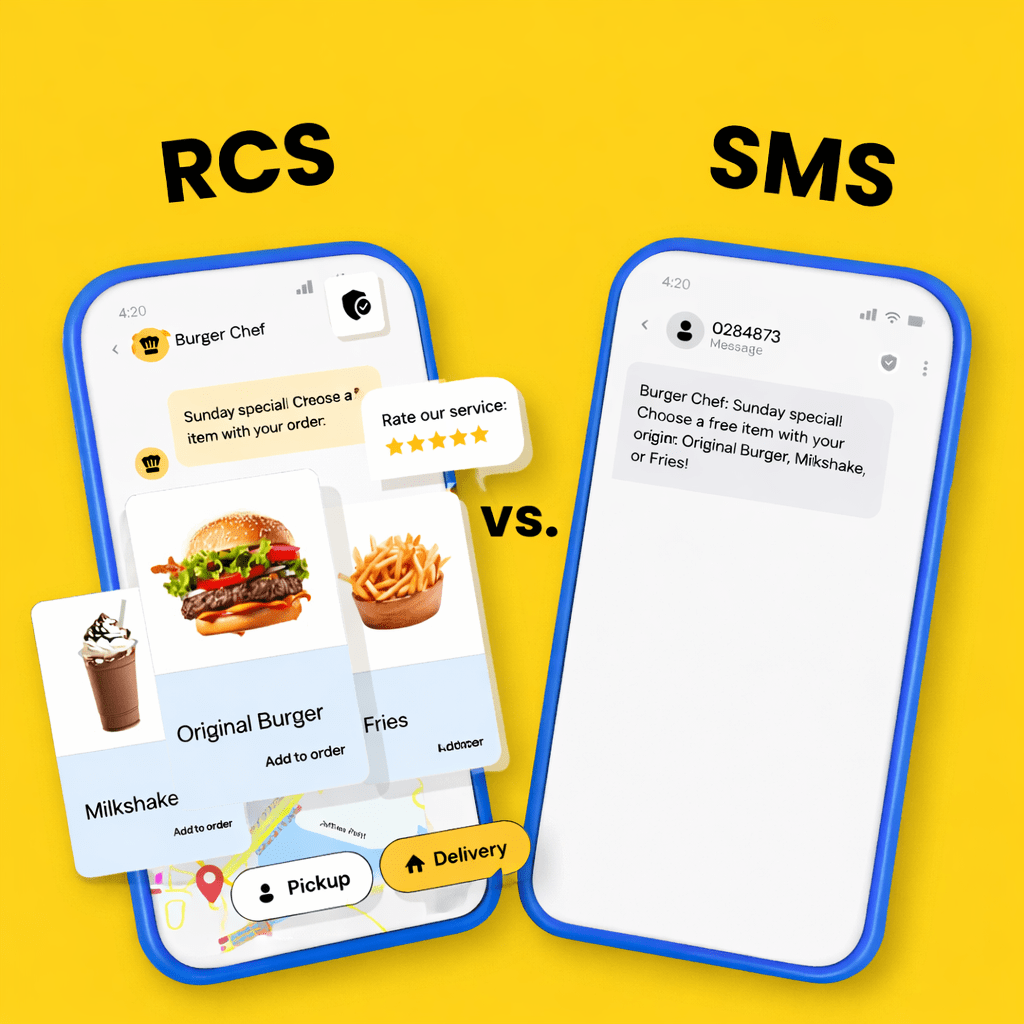
The difference between RCS Chat and SMS becomes most visible in the user experience. While SMS feels like a basic text exchange, RCS Chat delivers a modern conversation flow similar to popular messaging apps.
Interface and Visual Design
SMS offers a simple, text-only interface with no visual enhancements. Messages appear as plain text bubbles with no images, icons, or branding. In contrast, RCS Chat supports rich layouts that include images, videos, branded headers, and interactive buttons, making conversations more visually engaging and easier to understand.
Engagement and Interaction
RCS Chat improves engagement by enabling features such as quick replies, suggested actions, and media previews. Users can respond with a single tap instead of typing full messages. SMS requires manual typing for every response, which slows down interaction and reduces engagement.
Delivery and Read Confirmation
With SMS, users do not know if a message has been delivered or read. RCS Chat provides delivery status and read receipts, helping both users and businesses track message success and improve follow-up communication.
Conversation Flow
RCS Chat supports real-time conversation signals like typing indicators and threaded replies, which create a natural and smooth chat experience. SMS lacks these features, making conversations feel disconnected and outdated.
Overall, RCS Chat delivers a more interactive, transparent, and user-friendly experience, while SMS remains limited to basic text communication.
IS RCS REALLY BETTER THAN SMS IN 2026?
Here’s how RCS has evolved in 2026 to clearly outshine traditional SMS — thanks to major ecosystem, security, and business messaging upgrades:
1. Apple’s RCS Support Is Finally Here
Apple added support for RCS messaging starting with iOS 18 and continues improving cross-platform messaging, bringing richer media and features between iPhone and Android devices — something SMS never offered.
2. Google’s Full Push for RCS Adoption
Google has aggressively promoted RCS as the default messaging standard on Android and persuaded carriers worldwide to adopt the Universal Profile, accelerating its global footprint far beyond SMS.
3. Universal Profile 3.0+ and Enhanced Security
With Universal Profile 3.0+, RCS now supports industry-wide Messaging Layer Security (MLS) for interoperable end-to-end encryption, offering privacy far beyond what SMS can ever provide.
4. Cross-Platform Rich Features Between iPhone & Android
2026 sees RCS becoming a true bridge between iOS and Android — enabling high-res media, read receipts, typing indicators, and other chat-like features in native messaging apps that SMS never had.
5. Booming Business Messaging Ecosystem
Brands and enterprises are now using RCS Business Messaging (RBM) for interactive campaigns, appointments, confirmations, and support — with metrics, buttons, and rich media — something SMS can’t match.
6. Explosive Adoption and Engagement Growth
Global reports show RCS traffic and business messaging have grown multiple-fold since Apple and Google embraced the standard — increasing reach and engagement vs. SMS.
7. Verified Branding & Trust Signals
RCS supports verified business identities, logos, and trust indicators — building consumer confidence and reducing spoofing/ spam, an area where SMS has long struggled.
8. Better Fallback & Reliability Strategy
Modern RCS implementations include automatic SMS fallback when data is unavailable, preserving reach while upgrading messaging quality whenever possible — a hybrid advantage over pure SMS.
9. Future-Ready Messaging Architecture
RCS isn’t just richer media — it’s becoming part of AI-enabled conversational journeys (like smart suggestions and chatbots) embedded into native messaging flows, far beyond one-way text alerts.
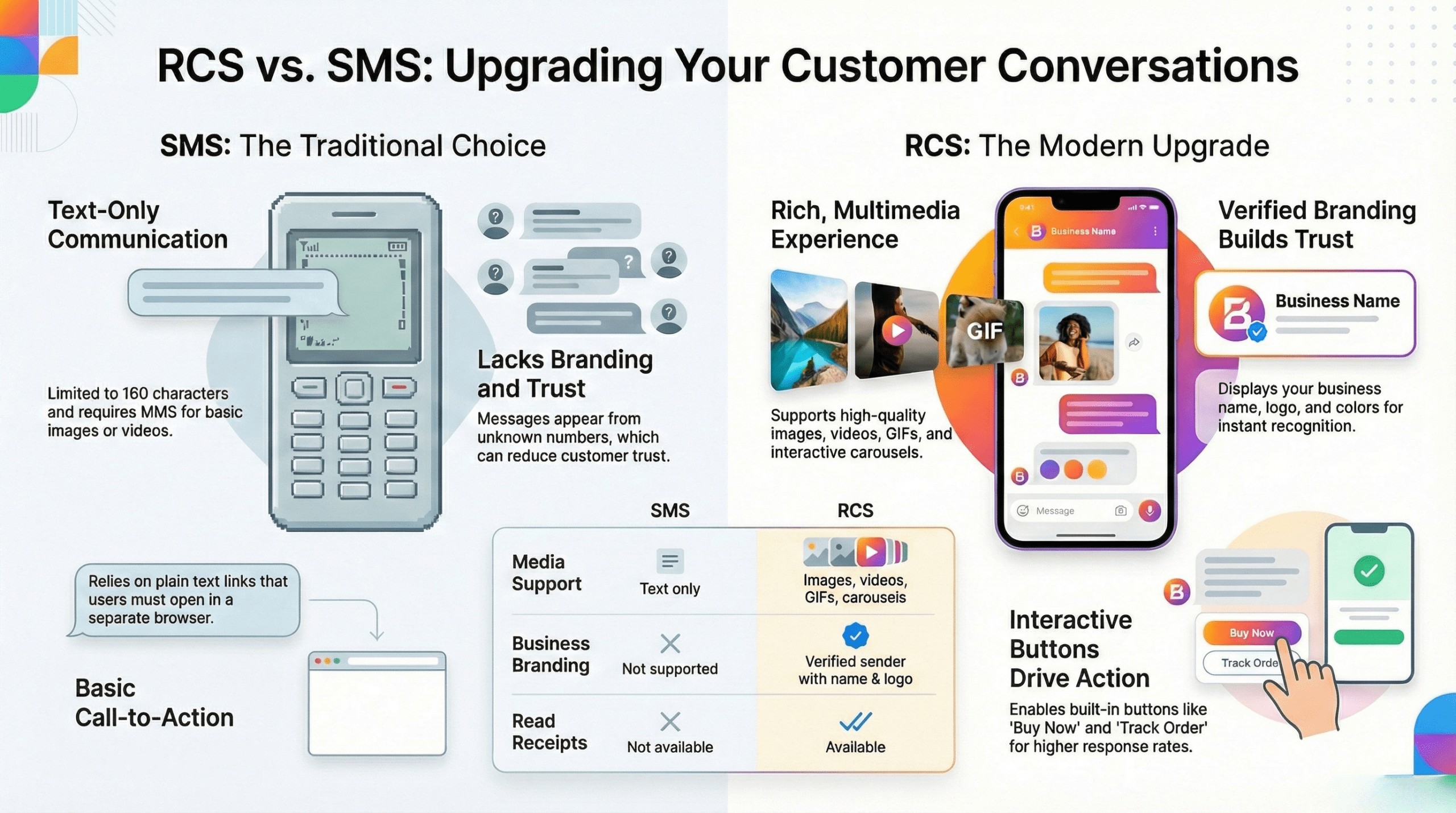
RCS VS SMS FOR BUSINESS MESSAGING
For businesses, messaging is no longer just about sending information—it is about creating engaging customer experiences. While SMS has been the traditional choice for alerts and notifications, RCS introduces a new way to communicate with customers through rich, branded, and interactive messages.
RCS Marketing vs SMS Marketing
SMS marketing relies on short text messages with limited personalization and no visual elements. RCS marketing, on the other hand, allows businesses to send multimedia messages that include images, videos, product cards, and interactive buttons. This makes campaigns more attractive and easier for customers to understand.
Branding and Trust
With SMS, messages appear as plain text from unknown numbers, which can reduce trust. RCS supports verified sender profiles that display the business name and logo. This helps customers recognize the brand instantly and reduces the risk of spam and fraud.
Calls-to-Action (CTAs)
SMS usually includes links that users must tap and open in a browser. RCS enables built-in call-to-action buttons such as:
- Buy Now
- Track Order
- Book Appointment
- Contact Support
These buttons improve user experience and increase response rates.
Engagement and Click-Through Rates
RCS messages feel more like app conversations than advertisements. Rich visuals and interactive elements lead to higher engagement compared to plain SMS. Businesses can track message delivery, read status, and user interactions, helping them improve campaign performance over time.
Overall, RCS transforms business messaging from simple notifications into meaningful customer conversations.
SECURITY & PRIVACY – IS RCS MORE SECURE THAN SMS?
Security and privacy are major concerns in mobile messaging, especially for business communication and sensitive information. SMS was created at a time when security was not a top priority, which makes it vulnerable in today’s digital environment.
Security Risks with SMS
SMS messages are not encrypted end-to-end. This means they can potentially be intercepted during transmission. SMS is also commonly used in phishing attacks and fraud because messages can be sent from fake or spoofed numbers. For businesses, this creates trust issues and increases the risk of customer data misuse.
How RCS Improves Security
RCS introduces stronger security measures compared to SMS. It supports encryption between devices and enables verified sender profiles for businesses. These features help users confirm that messages are coming from legitimate brands rather than unknown or fraudulent sources.
Building Customer Trust
With branded sender identities and secure message delivery, RCS creates a safer communication environment. Customers are more likely to engage with messages when they see a verified business name and logo, reducing fear of scams and spam.
While no system is completely immune to risks, RCS provides a more secure and trustworthy framework for modern messaging than traditional SMS.
RCS OR SMS – WHICH SHOULD YOU USE?
| Use Case | RCS | SMS |
|---|---|---|
| For Users | Ideal for rich, interactive conversations with friends, family, or service providers. Unlimited message length, media sharing, and read receipts enhance the overall experience. | Best for simple, quick messages when internet access is limited or for short alerts and notifications. |
| For Businesses | Perfect for marketing campaigns, customer service, and engagement initiatives. Branded messages, interactive buttons, and media support drive higher click-through rates and better customer experiences. | Valuable for transactional alerts, OTPs, and essential notifications where reach and reliability are critical. |
| For OTPs & Alerts | Can be used if the recipient has RCS enabled, but not universal. | Gold standard for one-time passwords, account verification, and emergency alerts due to universal reach and low internet dependency. |
| For Marketing | Outperforms SMS with rich media, interactivity, and branding. Messages appear professional, engage users better, and allow tracking of delivery, reads, and interactions. | Limited to text-only campaigns; lower engagement and no tracking of message interactions. |
FAQs – RCS VS SMS
What’s the difference between RCS and SMS?
SMS is a basic text messaging service limited to 160 characters and plain text, while RCS supports unlimited message length, rich media, read receipts, typing indicators, and branded messaging.
Is RCS the same as SMS?
No. RCS is the next-generation messaging standard that upgrades SMS with interactive and app-like features while retaining compatibility with traditional texting when needed.
Can SMS be converted to RCS?
Messages themselves cannot be “converted,” but when both sender and receiver support RCS, messages automatically upgrade from SMS to RCS to deliver a richer experience.
Does RCS work without internet?
No. Unlike SMS, RCS requires mobile data or Wi-Fi. If the recipient does not have RCS support, the message automatically falls back to SMS.
Is RCS available on iPhone?
Yes. Apple has introduced RCS support on iPhone starting with (iOS 18+). This allows iPhone users to send and receive RCS messages with compatible devices, bringing features like read receipts, typing indicators, and rich media sharing into the native Messages app.
Is RCS better for business?
Yes. RCS provides richer, branded, and interactive messaging experiences that improve engagement, CTR, and customer trust compared to plain SMS.
Add Your Heading Text Here
Final Thought Between RCS vs SMS
At the end of the conclusion of RCS vs SMS. Messaging has come a long way from the days of short, text-only SMS. With RCS, businesses and users now have access to a modern, interactive, and rich messaging experience that combines the reliability of SMS with the features of app-based chats.
While SMS remains indispensable for transactional messages, OTPs, and alerts due to its universal reach and offline capabilities, RCS is clearly the better choice for engaging conversations, marketing campaigns, and branded customer interactions.
The future of messaging is a blend of both technologies: RCS for richer experiences, SMS for universal reliability. By adopting RCS where possible, businesses can provide customers with seamless, interactive, and secure communication—without sacrificing the reach of traditional SMS.
Next Step: Start integrating RCS into your business messaging strategy to enhance engagement, trust, and customer satisfaction, while still using SMS for essential notifications.